Everything you need to write brilliantly
A modern academic writing platform with powerful editing, collaboration, and export capabilities.
Core Features
A powerful platform built for modern academic writing and collaboration
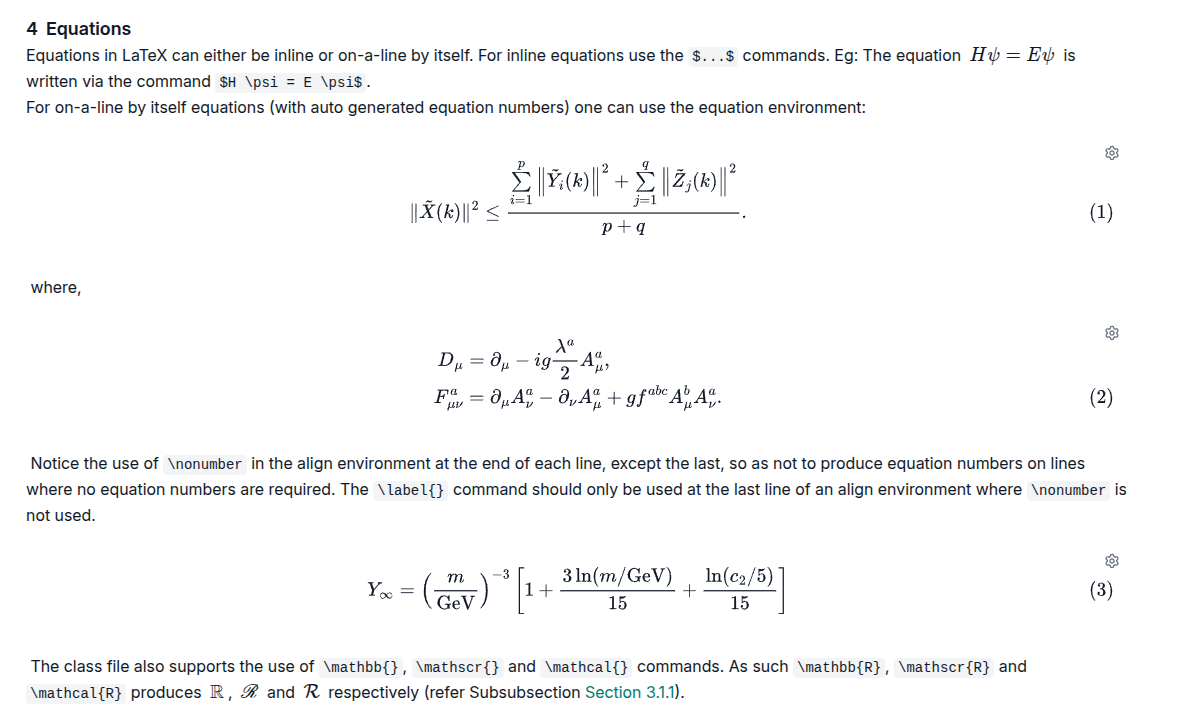
Visual Editing
Write in a rich visual editor that renders your formatting instantly. From inline math to complex display equations, see your content beautifully typeset as you type.
Should we cite the RG analysis from Weinberg (1979) here?
Good point. I’ll add the reference and a brief note about asymptotic freedom.
Can we be more specific about which measurements?
Updated to reference Table 3 from the ATLAS collaboration.
The abstract is looking great. Ready for submission.
Should we include a table of systematic uncertainties?
Yes, I think Table 5 should break these down by source.
I’ve double-checked this value against the Monte Carlo simulation.
Added a paragraph on HL-LHC projections.
Can we also mention the FCC-hh sensitivity estimates?
Commenting
Leave inline comments and suggestions throughout your document. Resolve discussions, filter by status, and manage review threads — perfect for peer review and collaborative editing.
Citations & Bibliography
Manage references with Mendeley (opens in new tab) and Semantic Scholar (opens in new tab) integration. Import, organize, and cite sources with automatic formatting.
References & Numbering
Figures, tables, and equations are automatically numbered and cross-referenced. Insert references from a searchable panel — numbering updates instantly as you edit.
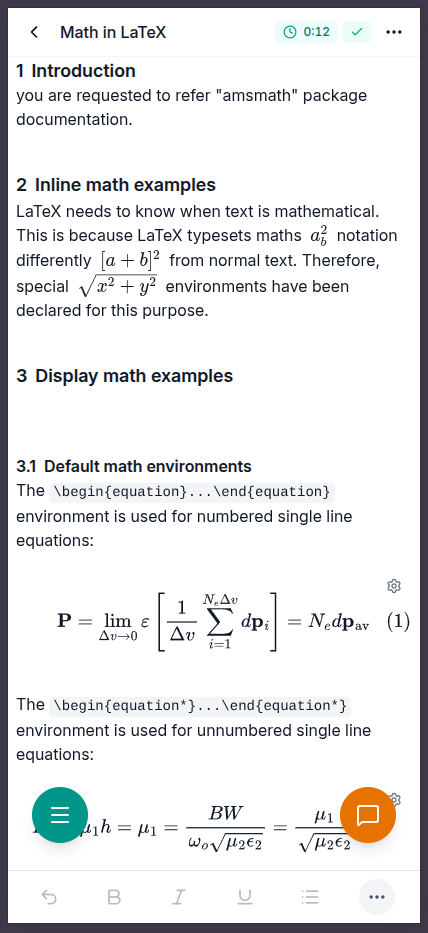
Modern & Accessible
A clean, responsive interface that works on any device. Full keyboard navigation, screen reader support, and WCAG 2.1 (opens in new tab) AA compliance.
More Features
Everything else you need for seamless academic collaboration
Real-time Collaboration
Work together with co-authors simultaneously. See changes as they happen with conflict-free synchronization.
Document Sharing
Share documents with collaborators and control access permissions. Collaborate securely with fine-grained access control.
Cloud Sync & Saving
Your work is automatically saved and synced to the cloud. Access your documents from anywhere with zero risk of data loss.
Cloud LaTeX Compilation
Compile your documents to PDF using cloud-based LaTeX (opens in new tab) compilation. No local TeX installation required.
Equation Editor
Write equations visually or in LaTeX — see them rendered instantly
Document Components
Build structured academic documents with specialized component types
Equation Preview
The Schrödinger equation describes quantum state evolution. For a free particle with mass m, the Hamiltonian is , yielding plane wave solutions .
Table Preview
| Particle | Mass (GeV/c²) | Charge (e) | Spin |
|---|---|---|---|
| Electron | 0.000511 | −1 | 1/2 |
| Proton | 0.938 | +1 | 1/2 |
| Neutron | 0.940 | 0 | 1/2 |
| Muon | 0.106 | −1 | 1/2 |
Table 1: Fundamental particle properties— click any cell to edit
Export & Import
Export your work in multiple formats and import from a wide range of sources
PDF Export
Compile your documents directly to PDF using cloud LaTeX (opens in new tab) compilation. Download publication-ready PDFs from your browser.
LaTeX Archive Export
Export complete LaTeX (opens in new tab) projects as a ZIP archive including source files, bibliography, and images. Ready for journal submission.
Local Backup
Own your data. Export complete document backups and re-import them anytime to restore your work.
Pandoc Import
Import from DOCX, RTF, ODT, Markdown (opens in new tab), HTML, EPUB, Jupyter (opens in new tab) notebooks, wiki formats, PowerPoint, and more via Pandoc (opens in new tab).
Ready to Experience These Features?
Start using KlarTeX today and discover how easy academic writing can be.